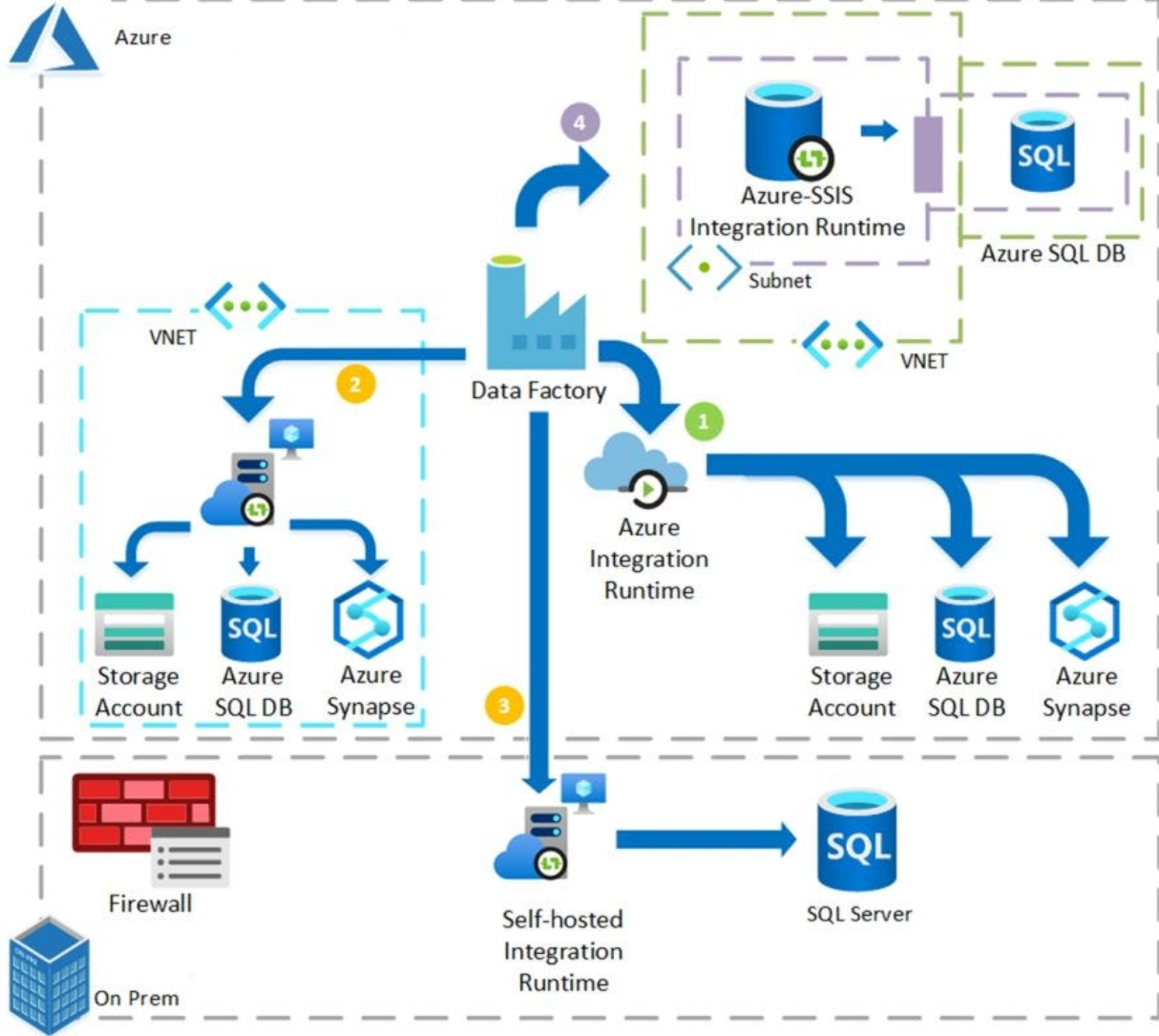
Azure Data Factory Overview
Azure Data Factory (ADF) is a fully managed, cloud-based data integration service that allows you to create, schedule, and orchestrate data workflows.
It is commonly used for ETL / ELT pipelines, enabling data movement and transformation across different data sources at scale.
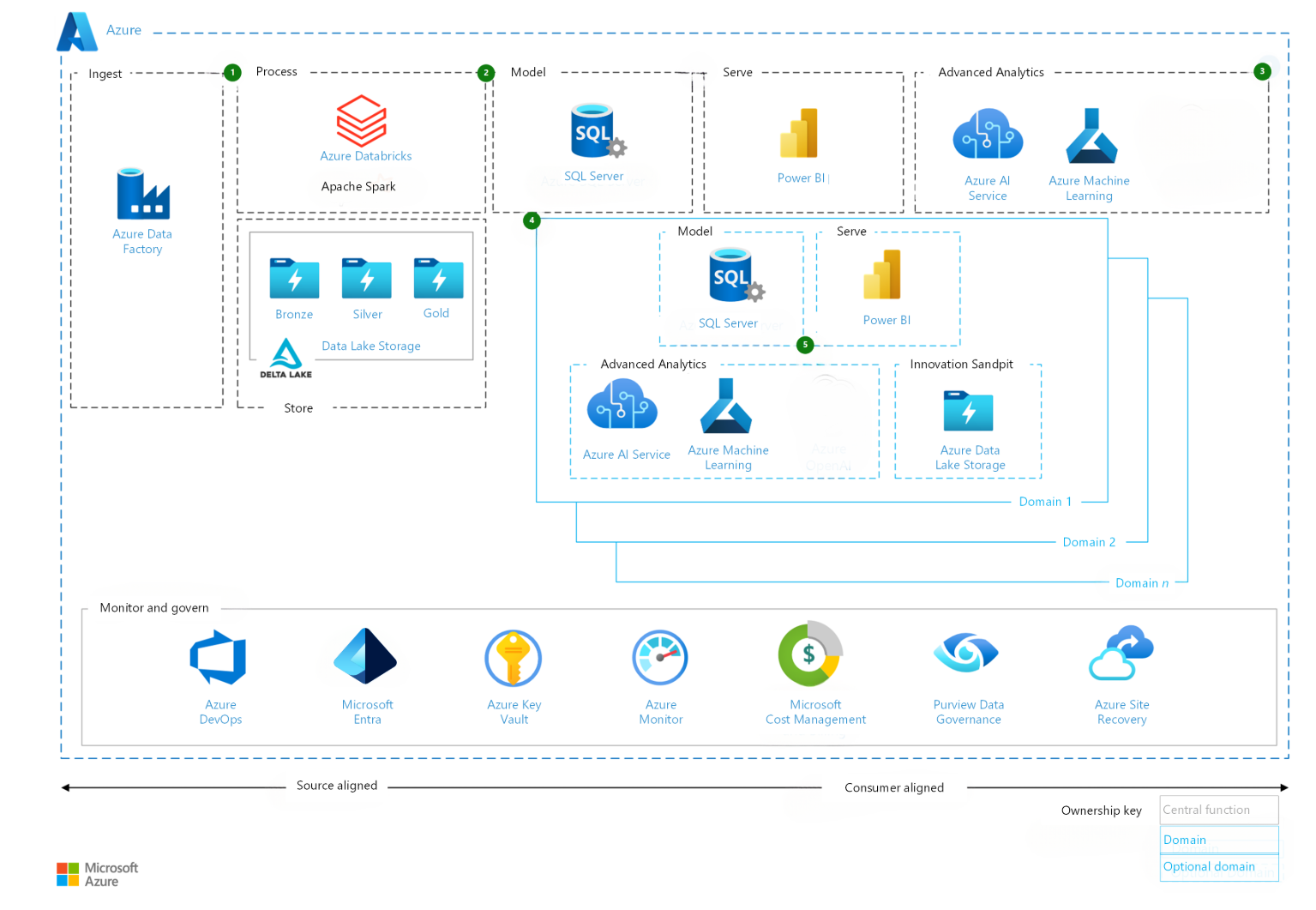
Resource Group
A Resource Group is a logical container in Azure that holds related resources for an Azure solution.
In Azure Data Factory, the resource group typically contains:
- Azure Data Factory instance
- Storage accounts (e.g. Blob Storage, Data Lake)
- Azure SQL / Synapse resources
- Networking and security configurations
Using resource groups helps with lifecycle management, access control, and cost tracking.
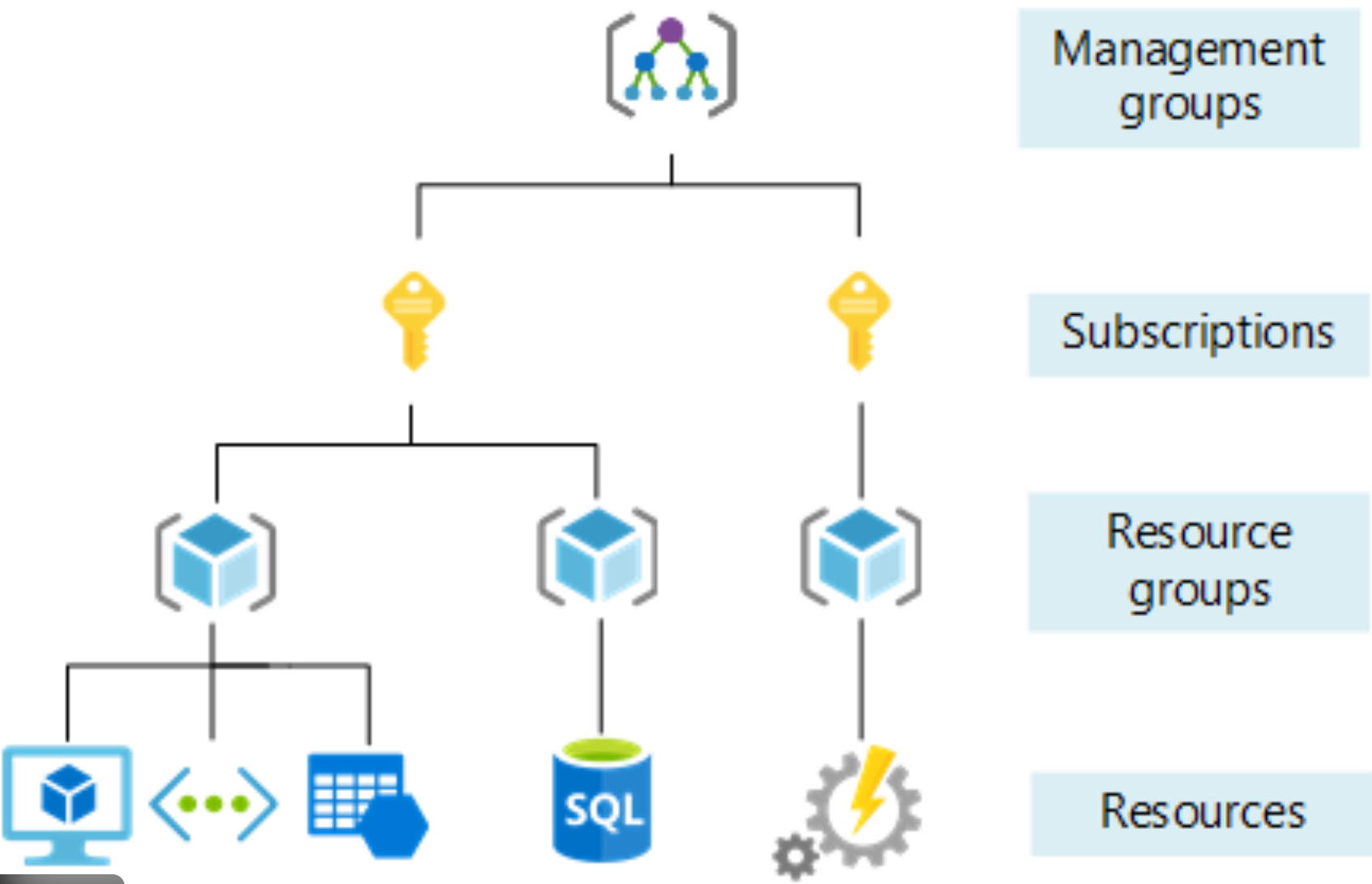
Top-Level Concepts in Azure Data Factory
Azure Data Factory is built around several core components:
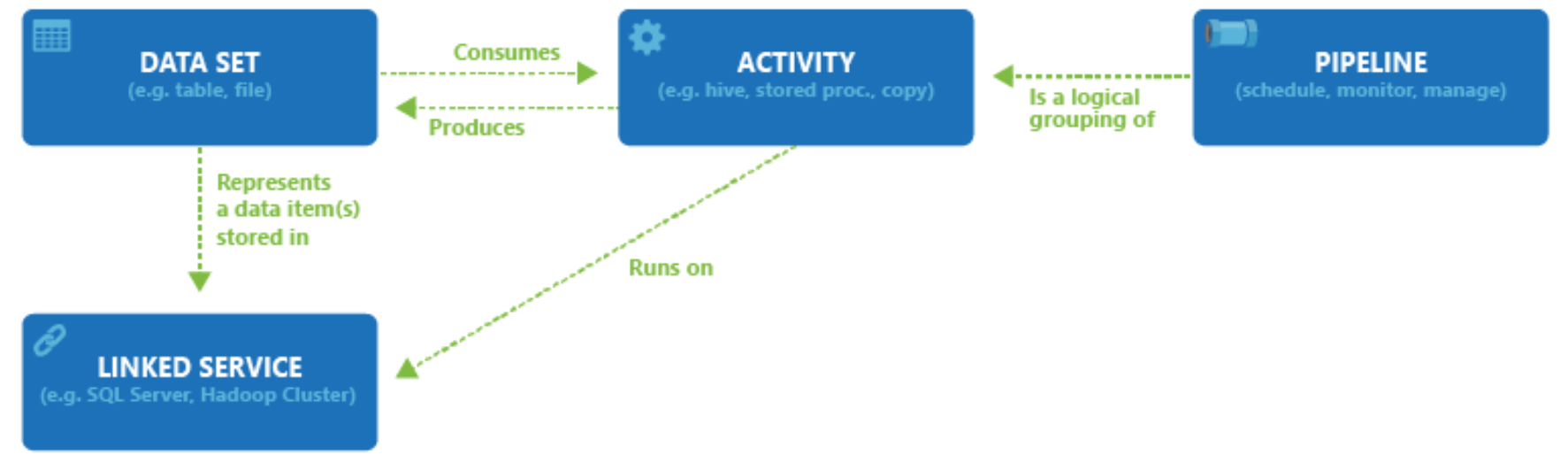
- Pipelines – Logical groups of activities that perform a task
- Activities – Individual processing steps (e.g. copy, transform)
- Datasets – Represent data structures used as inputs and outputs
- Data Flows – Visual data transformation logic
- Integration Runtimes – Compute infrastructure for data movement and transformation
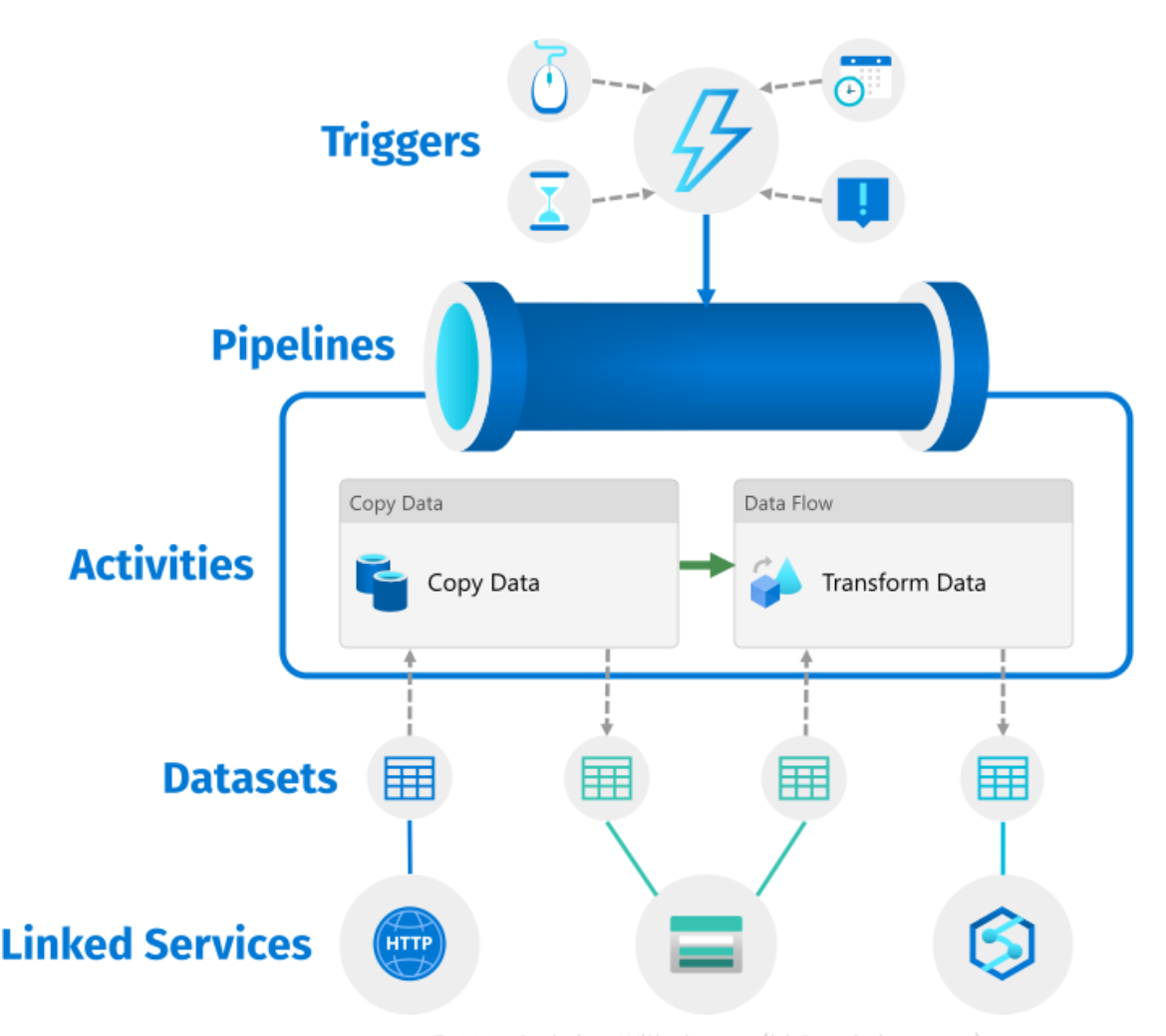
Pipelines and Activities
A pipeline is a container for one or more activities that together perform a workflow.
An activity defines a specific action, such as:
- Copying data
- Executing a data flow
- Running a stored procedure
- Calling an external service
Pipelines support control flow, including:
- Conditional logic
- Loops
- Error handling
Linked Services and Datasets
Linked Services
A Linked Service is similar to a connection string.
It defines the connection information required for Azure Data Factory to connect to external resources such as databases, storage accounts, or SaaS services.
Examples:
- Azure Blob Storage
- Azure SQL Database
- Amazon S3
- On-premises SQL Server
Datasets
A Dataset represents a named view of data within a linked service.
Datasets identify:
- Tables
- Files
- Folders
- Documents
For example, an Azure Blob Storage dataset specifies:
- Container name
- Folder path
- File format
Azure Blob Storage
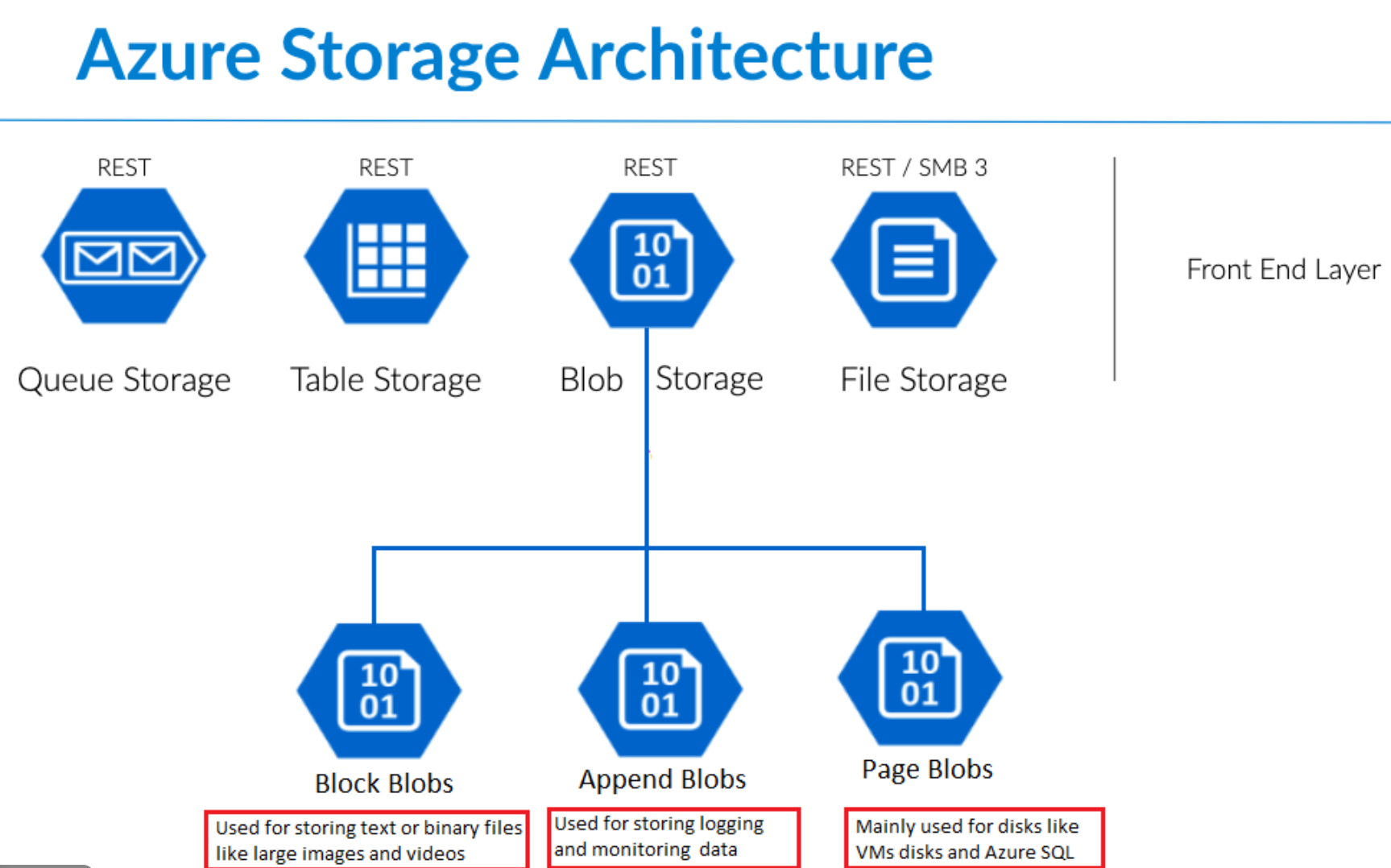
Azure Blob Storage is Microsoft’s object storage solution for the cloud, optimized for storing large amounts of unstructured data.
Unstructured data includes:
- Text files
- Images
- Videos
- Binary data
- Logs
Common Use Cases
Azure Blob Storage is designed for:
- Serving images or documents directly to browsers
- Storing files for distributed access
- Streaming video and audio
- Writing and storing log files
- Backup, restore, and disaster recovery
- Storing data for analytics and machine learning workloads
Variables in Azure Data Factory
Pipeline variables are values that can be:
- Defined at the pipeline level
- Modified during pipeline execution
They are commonly used for:
- Storing intermediate values
- Controlling workflow logic
- Tracking execution states
Parameters in Azure Data Factory
Pipeline parameters are values passed into a pipeline at runtime.
Key characteristics:
- Defined at pipeline level
- Cannot be changed during execution
- Used to make pipelines reusable
Common use cases include:
- Passing file paths
- Environment-specific values
- Dataset configuration settings
JSON Structure in ADF
Behind the Azure Data Factory UI, all pipelines, datasets, and linked services are stored as JSON definitions.
These JSON files describe:
- Activity logic
- Dependencies
- Expressions
- Parameters and variables
This enables:
- Source control integration (Git)
- CI/CD pipelines
- Automated deployments
Integration Runtime (IR)
The Integration Runtime (IR) is the compute infrastructure used by Azure Data Factory to provide data integration capabilities.
It is responsible for:
- Data movement
- Data transformation
- Executing data flows
Types of Integration Runtime
- Azure IR – Fully managed, runs in Azure
- Self-hosted IR – Used for on-premises or private networks
- Azure-SSIS IR – For running SSIS packages in Azure