SQL Server - Max Size Error
It is a common error in SQL Server when the database reaches its maximum size limit. This can happen due to various reasons, such as large data inserts, log file growth, or improper database configuration.
It is easy to get this error.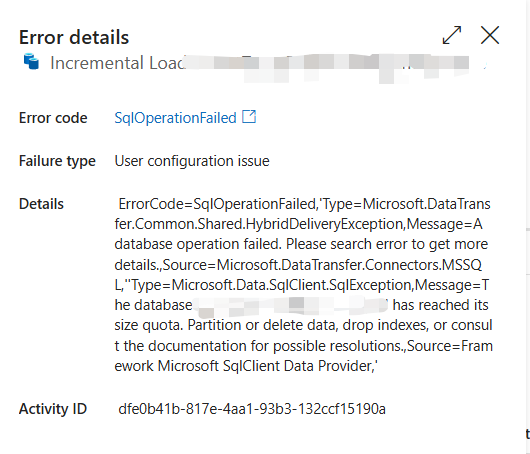
Here are some steps to resolve the issue:
Check the current size of the database and its maximum size limit using the following query:
1
2
3
4
SELECT
SUM(reserved_page_count) * 8.0 / 1024 AS ReservedMB,
SUM(used_page_count) * 8.0 / 1024 AS UsedMB
FROM sys.dm_db_partition_stats;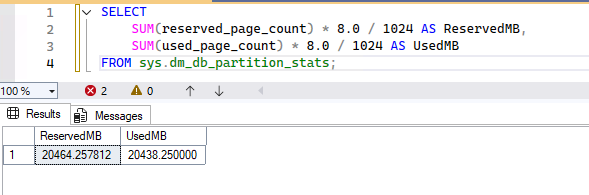
this is used to check the current size of the database draftlly.
Check the file size and growth settings of the database using the following query:
1
2
3
4
5
6
SELECT
name AS FileName,
size * 8 / 1024 AS SizeMB,
max_size * 8 / 1024 AS MaxSizeMB,
growth * 8 / 1024 AS GrowthMB
FROM sys.database_files;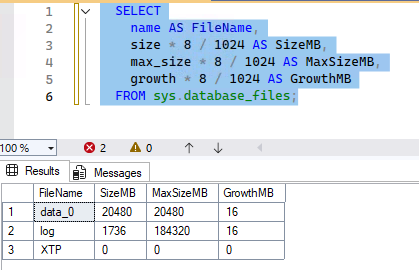
this can help to identify if the database file has reached its maximum size limit or if the growth settings are too small.
If the database has reached its maximum size limit, you can increase the maximum size limit using the following query:
1
2
ALTER DATABASE [YourDatabaseName]
MODIFY (MAXSIZE = 50GB);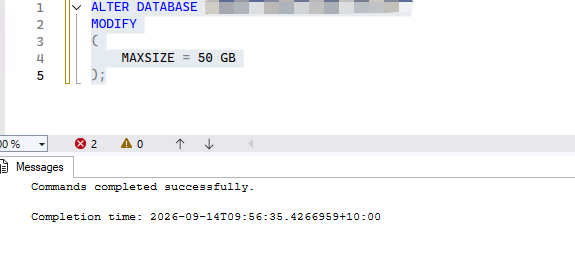
Check the file size and growth settings again to ensure that the changes have been applied successfully.